🙂
TED – 리처드 배레닉의 오픈소스 활용학습
Reply
🙂
* 침입 방지와 능동적 응답
오늘날 나와 있는 다양한 보안 제품, 기술, 솔루션에서 침입 탐지라는 용어는 큰 주목을 받아왔다. 이러한 주목의 대다수는 이 용어가 주는 지나치게 강한 의미에서 나온것으로 보인다. 물론 보안 침부를 사전에 방지한다는 개념 자체가 장점이 없다는 뜻은 아니다. 다만 침입 탐지 기술은 호스트 수준 스택 강화 기법(http://pax.grseurity.net 의 PaX 프로젝트 참조)에서부터 악의적인 패킷이 의도된 목표에 도달하지 못하게 방지하는 동시에 다른 트래픽은 모두 통과시킬 수 있는 소프트웨어를 갖춘 인라인 네트워크 장치까지 다양하다.
이와 달리 능동적 응답은 (공격이 탐지된 경우) 공격자에게 취할 수 있는 기법들을 말하며 이것이 꼭 공격을 무력화하는 기법만을 의미하는 것은 아니다. 능동적 응답이 항상 초기 공격을 막을 수 없다는 사실이 중요한 차이며, 이것이 침입 방지와 능동적 응답 간의 차이점을 명확히 서술해준다.
* 능동적 응답의 트레이드오프
세션 파괴(session-busting) 트래픽을 생성하거나 방화벽 정책을 수정해서 공격에 자동으로 응답하는 것에는 결과가 따른다. 공격자는 목표 시스템과의 TCP 세션이 종료되는 중이라거나 목표 시스템과의 모든 연결이 끊어졌다는 것을 재빨리 알아챌 수 있다. 이로부터 이끌어 낼 수 있는 가장 논리적인 결론은 특정 유형의 능동적 응답기법이 목표를 보호하기 위해 설치됐다는 것이다. 능동적 응답 시스템이 포트 스캔이나 포트 스윕과 같이 상대적으로 악의가 없는 트래픽에 응답하게 설정됐다면 공격자가 응답 기법을 남용해서 이것이 목표 시스템에 반하게 바꾸는 것은 매우 쉬워진다. 이는 목표와의 양방향 통신을 필요로 하지 않는 방식으로 전달될 수 있는 악의적인 트래픽(즉, 공격이 스푸핑될 수 있는 경우)에도 적용되며 위티 웜이 바로 그 예다.
– 공격의 종류
능동적인 응답 기능을 제공하는 많은 소프트웨어(psad 포함)가 특정 호스트나 네트워크를 허용 리스트(whitelist)에 추가하는 기능을 제공한다. 이는 공격자가 허용 리스트에 속한 네트워크로부터 포트 스캔이나 기타 악의적인 트래픽을 스푸핑하더라도 응답 기법이 아무런 조치를 취하지 않게 하기 위함이다. 그러나 소프트웨어 관리자가 이 목록에 중요한 시스템을 모두 포함시키지 않을 수 있으므로 공격자는 자신의 창의력에 따라 공격을 송공할 수 있다. 심지어 TCP 유휴 스캔조차 올바로 동작하려면 스캔이 스푸핑돼야 한다.
공격에 응답하는 좀 더 나은 전략은 공격자와 목표 사이에 양방향 통신을 필요로하는 공격에만 응답하게 응답 기법을 활성화하는 것이다. 이는 일반적으로 공격자가 TCP 연결을 수립했고 공격(웹 애플리케이션에 대한 SQL 인젝션 공격이나 TCP 포트에서 대기중인 애플리케이션에서 버퍼 오버플로우 취약점을 통해 목표 시스템이 쉘 코드를 실행하게 강제하려는 시도)을 전달하는 데 수립한 TCP 연결을 사용 중이라는 것을 의미한다.
수립된 TCP 연결에서 공격을 탐지하려면 탐지 시스템이 수립된 연결에 대한 표를 유지하면서 이미 수립된 연결들 내에서 공격을 찾아야 한다. 실제처럼 보이는 순서 번호와 승인 번호를 가지는 TCP 패킷도 결국 스푸핑될 수 있지만 이런 패킷은 실제로 수립된 연결의 일부가 아니며 스푸핑 성공 여부는 이를 결정하는 탐지 기법에 달려있다.
– 긍정오류
침입 탐지 시스템은 어떤 것이든 모두 긍정 오류(정상적인 활동을 악의적인 것으로 잘못 판단하는 경고)를 생성하기도 한다. 부정 오류나 실제 악의적인 트래픽이 존재할 대 이벤트를 생성하지 못하는 것 역시 상대적으로 흔한 일이다.
psad도 이 규칙에 예외가 아니며 psad를 실행하다 보면 정상적인 트래픽에 대해 이벤트를 생성하는 경우를 볼 수 있다. 긍정 오류는 주의 깊게 설정해서 최소화할 수 있지만 완전히 제거할 수는 없다. 그러므로 악의적이라고 잘못 판단된 트래픽에 자동으로 응답하는 것은 일반적인 네트워크 연결성을 유지하는 데 좋지 않다.
그럼에도 여전히 많은 보안 관리자가 어떤 유형의 이벤트는 그것이 잘못 식별된 활동으로부터 생성된 것이라 할지라도 엄격하게 응답할 만큼 충분히 잠재적으로 위험하다고 판단한다. 예를 들어 새로운 웜의 출현이 네트워크와 구성 시스템을 완전히 무력화할 수 있으므로 이런 웜에 감열될 가능성이 존재하는 한 피해를 최소화하는 시도로 능동적 응답을 사용할 수 있다.
* psad를 이용해 공격에 응답하기
psad가 공격에 응답하는데 사용하는 주요 방법은 설정 가능한 시간 동안 공격자의 출발지 IP 주소로부터의 모든 접속을 차단하게 로컬 필터링 정책을 동적으로 재설정하는 것이다.
Tcpwrappers 에 대한 노트
psad도 tcpwrappers 가 공격자의 출발지 IP 주소로부터의 접근을 부인하게 /etc/hosts.deny 파일을 재설정할 수도 있다. 그러나 이 기법은 몇 가지 이유에서 iptables를 사용하는 것보다 안 좋다. 우선 tcpwrappers 는 tcpwrappers 를 사용하게 설정된 데몬으로의 접근만 차단할 수 있다. 이와 달리 iptables 의 일반적인 차단 규칙은 공격자가 목표 시스템의 IP 스택을 통한 통신을 전혀 수행할 수 없게 한다. 둘째로, tcpwrappers 는 로컬 시스템에서 실행 중인 데몬을 보호하는 데에만 효과적인 반면 psad는 FORWARD 체인의 스캔이나 기타 악의적인 트래픽도 탐지할 수 있다. 끝으로 tcpwrappers 로 데몬을 보호하는 경우 공격자는 iptables와 연동할 수 있는 방법보다 훨씬 더 많은 방법으로 목표 시스템과 연동할 수 있으며, 이 중에서 어떤 것(커널과 사용자 공간 중 어디에 있는 것이든)이라도 보안 취약점을 가질 가능성이 존재한다.
로컬 iptables 정책을 동적으로 재설정하는 기능은 응답이 네트워크 계층에서 일어난다는 것을 의미한다. 예를 들어 공격자의 IP 주소는 IP 스택을 통한 통신을 못하게 차단된다. 차단 규칙이 인스턴스화될 때 공격자가 로컬 네트워크의 서버 중 하나와 수립된 TCP 세션을 가지고 있다면 (차단 규칙과 함께 생성된 TCP 재설정이 없기 때문에) 모든 TCP 패킷은 버려질 것이며, 말단 TCP 스택은 시간 만료 때까지 재전송을 시도할 것이다.
** 기능
psad는 다음과 같은 능동적 응답 기능을 지원한다.
– iptables 차단 규칙이 추가되기 전에 공격자가 도달해야 하는 사용자 설정 가능 최소 위험 수준
– 설정 가능한 시간 만료에 기반해서 영속적이거나 일시적인 차단 규칙을 생성하는 기능
– 기존의 로컬 시스템 iptables 정채고가 충돌하지 않게 모든 차단 규칙에 별도의 iptables 체인을 사용하는 기능
– psad나 시스템 재시작 사이에도 차단 규칙을 보존하는 기능(이 기능은 설정 가능하지만 기본 설정은 psad가 시작할 때 기존의 차단 규칙을 모두 버리는 것)
– 현재 차단된 모든 IP 주소의 상태 출력을 관련 iptables 차단 규칙이 제거될 때까지 남은 초와 함께 포함하는 기능
– 외부 프로세스가 –fw-block-ip 와 –fw-rm-block-ip 명령 행 인자를 사용해서 psad에게 특정 IP 주소에 대한 차단 규칙을 추가하거나 제거하게 지시할 수 있는 기능
– psad 차단 체인에서 IP 주소가 추가되거나 삭제될 때 메일로 통지하는 기능
** 설정 변수
psad가 능동적 응답 모드에 진입할지 여부를 결정하는 가장 중요한 변수는 ENABLE_AUTO_IDS 로 /etc/psad/psad.conf 파일에서 Y이나 N으로 설정할 수 있다. 이 기능이 활성화되면 다른 일부 변수는 psad가 공격자를 자동으로 차단하려고 할 때 psad의 다양한 동작을 제어한다.
AUTO_IDS_DANGER_LEVEL 변수는 차단 규칙이 인스턴스화되기 전에 IP 주소가 도달해야 할 최소 위험 수준에 대해 1 ~ 5 의 임계치를 설정한다. 포트 스캔 임뎨치, 개별적인 서명 위험 수준(/etc/psad/signatures 참조), 자동 위험 수준 할당(/etc/psad/auto_dl 참조)을 조절함으로써 psad는 IP 주소를 자동으로 차단할지에 대해 세밀한 결정을 내릴 수 있다. 예를 들어 특정 IP 주소나 네트워크(예를 들어 192.168.1.0/24)가 과거의 스캔이나 침입 시도로 인해 공격자로 알려져 있다면 /etc/psad/auto_dl 파일에 다음을 추가해서 이 주소와의 통신을 억제한 상태로 유지할 수 있다
192.168.1.0/24 5;
이제 192.168.1.0/24 클래스 C 네트워크에 속하는 모든 IP 주소는 AUTO_IDS_DANGER_LEVEL이 얼마나 높게 설정됐는지와 무관하게 필터링 정책에 위배되며 이 IP 주소에 대한 차단 규칙이 추가된다.
일반적인 상황에서 iptables는 중요한 서비스로의 적법한 트래픽(예를 들면 DNS)을 기록하지 않게 설정되므로 iptables가 패킷을 기록하게 유발하지 않는 한 192.168.1.0/24 네트워크 내의 모든 IP 주소는 이런 서비스에 접근할 수 있다.
AUTO_BLOCK_TIMEOUT 변수는 iptables 차단 규칙이 유효한 시간을 초로 정의한다. 기본값은 360초, 즉 한시간이다. AUTO_BLOCK_TIMEOUT을 0으로 설정하면 모든 차단 규칙이 영속적으로 유지되며 FLUSH_IPT_AT_INIT 가 비활성화돼 있지 않는 한 psad가 재시작되거나 시스템이 재부팅될 때만 제거된다.
IPTABLES_BLOCK_METHOD와 TCPWRAPPERS_BLOCK_METHOD 변수는 psad가 공격 IP 주소를 차단하기 위해 iptables나 tcpwrappers를 사용할지 여부를 제어한다. psad를 공격에 응답하게 설정했다면 추천 설정은 iptables 차단을 활성화하는 것이다.
ENABLE_AUTO_IDS_REGEX와 AUTO_BLOCK_REGEX 변수를 사용하면 로깅 접두어가 특정 정규식과 매칭되는지 여부와 IP 주소에 대한 차단 규칙의 추가 동작을 결합할 수 있다. 이는 수립된 TCP 세션을 통한 양방향 통신을 필요로 하는 공격을 감시한 경우의 IP 주소 차단에만 가장 유용하다. 포트 스캔은 쉽게 스푸핑되기 때문에 이 기능은 공격자에 의해 단순히 스푸핑되지 않은 IP 주소들로 차단 규칙을 제한하는 강력한 기법을 제공한다.
끝으로 공격자를 자동으로 차단하는 데 중요한 나머지 설정 변수는 iptables 규칙이 생성되는 방식을 제어한다. 이러한 변수는 모두 IPT_AUTO_CHAIN 문자열로 시작하며 그 뒤에 정수가 나온다(DANGER_LEVEL{n} 변수와 마찬가지다). 이 변수들은 psad가 iptables에 규칙을 추가하는 방식에 7가지의 기준을 명시한다.
– 규칙에 대한 iptables 타겟(예를 들어 DROP)
– 규칙을 출발지나 목적지(또는 둘 모두)에 적용할지 여부
– 규칙이 추가되는 테이블(예를 들어 filter 테이블)
– 맞춤화 psad 체인을 위해 건너뛰기 규칙이 추가될 iptables 체인
– iptables 체인 내에서 건너뛰기 규칙이 추가될 위치
– 맞춤화 psad 체인의 이름
– 맞춤화 psad 체인 내에서 새로운 규칙이 추가될 위치
psad는 차단 규칙 자체뿐만 아니라 맞춤화 psad 체인과 건너뛰기 규칙의 생성과 유지도 관리한다.
기본 IPT_AUTO_CHAIN{n} 변수는 psad가 AUTO_IDS_DANGER_LEVEL 임계치에 도달한 IP 주소에 대해 총 네 개의 차단 규칙을 추가하게 한다.
– 패킷이 PSAD_BLOCK_INPUT 체인으로 건너뛰게 강제해서 로컬 시스템이 목적지인 공격자로부터의 패킷이 로컬 소켓과 통신할 수 없게 공격 IP 주소에 대한 DROP 규칙을 PSAD_BLOCK_INPUT 체인에 추가
– 로컬 시스템에서 시작된 패킷이 공격자에게 전송될 수 없게 PSAD_BLOCK_OUTPUT 체인에 공격 IP 주소에 대한 DROP 규칙 추가
– 공격 IP 주소에서 시작됐거나 공격 IP 주소로 전송되는 패킷을 제한하는 공격 IP 주소에 대한 두 개의 DROP 규칙을 PSAD_BLOCK_FORWARD 체인에 추가. iptables 방화벽이 이런 식으로 내부 네트워크의 시스템을 보호하면 어떤 공격자도 해당 시스템과 연결할 수 없다.
* 능동적 응답의 예
다음은 필자가 사용하는 psad.conf 파일의 내용이다.
#
##############################################################################
#
# This is the configuration file for psad (the Port Scan Attack Detector).
# Normally this file gets installed at /etc/psad/psad.conf, but can be put
# anywhere in the filesystem and then the path can be specified on the
# command line argument “-c <file>” to psad. All three psad daemons (psad,
# kmsgsd, and psadwatchd) reference this config file.
#
# Each line has the form “<variable name> <value>;”. Note the semi-
# colon after the <value>. All characters after the semicolon will be
# ignored to provide space for comments.
#
##############################################################################
#
# $Id: psad.conf 2179 2008-06-07 15:21:55Z mbr $
#### Supports multiple email addresses (as a comma separated
### list).
EMAIL_ADDRESSES root@localhost;### Machine hostname
HOSTNAME extreme;### Specify the home and external networks. Note that by default the
### ENABLE_INTF_LOCAL_NETS is enabled, so psad automatically detects
### all of the directly connected subnets and uses this information as
#@@ the HOME_NET variable.
HOME_NET any;
EXTERNAL_NET any;### The FW_SEARCH_ALL variable controls has psad will parse iptables
### messages. If it is set to “Y” then psad will parse all iptables
### messages for evidence of scan activity. If it is set to “N” then
### psad will only parse those iptables messages that contain logging
### prefixes specified by the FW_MSG_SEARCH variable below. Logging
### prefixes are set with the –log-prefix command line option to iptables.
### Setting FW_SEARCH_ALL to “N” is useful for having psad only analyze
### iptables messages that are logged out of a specific iptables chain
### (multiple strings can be searched for, see the comment above the
### FW_MSG_SEARCH variable below) or a specific logging rule for example.
### FW_SEARCH_ALL is set to “Y” by default since usually people want psad
### to parse all iptables messages.
FW_SEARCH_ALL Y;### The FW_MSG_SEARCH variable can be modified to look for logging messages
### that are specific to your firewall configuration (specified by the
### “–log-prefix” option. For example, if your firewall uses the
### string “Audit” for packets that have been blocked, then you could
### set FW_MSG_SEARCH to “Audit”; The default string to search for is
### “DROP”. Both psad and kmsgsd reference this file. NOTE: You can
### specify this variable multiple times to have psad search for multiple
### strings. For example to have psad search for the strings “Audit” and
### “Reject”, you would use the following two lines:
#FW_MSG_SEARCH Audit;
#FW_MSG_SEARCH REJECT;
FW_MSG_SEARCH DROP;### Set the type of syslog daemon that is used. The SYSLOG_DAEMON
### variable accepts four possible values: syslogd, syslog-ng, ulogd,
### or metalog.
SYSLOG_DAEMON syslogd;### Danger levels. These represent the total number of
### packets required for a scan to reach each danger level.
### A scan may also reach a danger level if the scan trips
### a signature or if the scanning ip is listed in
### auto_ips so a danger level is automatically
### assigned.
DANGER_LEVEL1 5; ### Number of packets.
DANGER_LEVEL2 15;
DANGER_LEVEL3 150;
DANGER_LEVEL4 1500;
DANGER_LEVEL5 10000;### Set the interval (in seconds) psad will use to sleep before
### checking for new iptables log messages
CHECK_INTERVAL 5;### Search for snort “sid” values generated by fwsnort
### or snort2iptables
SNORT_SID_STR SID;### Set the minimum range of ports that must be scanned before
### psad will send an alert. The default is 1 so that at
### least two port must be scanned (p2-p1 >= 1). This can be set
### to 0 if you want psad to be extra paranoid, or 30000 if not.
PORT_RANGE_SCAN_THRESHOLD 1;### If “Y”, means that scans will never timeout. This is useful
### for catching scans that take place over long periods of time
### where the attacker is trying to slip beneath the IDS thresholds.
ENABLE_PERSISTENCE Y;### This is used only if ENABLE_PERSISTENCE = “N”;
SCAN_TIMEOUT 3600; ### seconds### If “Y”, means all signatures will be shown since
### the scan started instead of just the current ones.
SHOW_ALL_SIGNATURES N;### Allow reporting methods to be enabled/restricted. This keyword can
### accept values of “nosyslog” (don’t write any messages to syslog),
### “noemail” (don’t send any email messages), or “ALL” (to generate both
### syslog and email messages). “ALL” is the default. Both “nosyslog”
### and “noemail” can be combined with a comma to disable all logging
### and alerting.
ALERTING_METHODS ALL;### By default, psad acquires iptables log data from the /var/log/psad/fwdata
### file which is written to by kmsgsd. However, psad can just read an
### existing file that syslog writes iptables log data to (commonly
### /var/log/messages). On some systems, having syslog communicate log data
### to kmsgsd can be problematic (syslog configs and external factors such
### as Apparmor and SELinux can play a role here), so using this feature can
### simplify a psad deployment.
ENABLE_SYSLOG_FILE N;
IPT_WRITE_FWDATA Y;
IPT_SYSLOG_FILE /var/log/messages;### When enabled, this instructs psad to write the “msg” field
### associated with Snort rule matches to syslog.
ENABLE_SIG_MSG_SYSLOG Y;
SIG_MSG_SYSLOG_THRESHOLD 10;
SIG_SID_SYSLOG_THRESHOLD 10;### TTL values are decremented depending on the number of hops
### the packet has taken before it hits the firewall. We will
### assume packets will not jump through more than 20 hops on
### average.
MAX_HOPS 20;### Do not include any timestamp included within kernel logging
### messages (Ubuntu systems commonly have this)
IGNORE_KERNEL_TIMESTAMP Y;### FIXME: try to mitigate the affects of the iptables connection
### tracking bug by ignoring tcp packets that have the ack bit set.
### Read the “BUGS” section of the psad man page. Note that
### if a packet matches a snort SID generated by fwsnort (see
### http://www.cipherdyne.org/fwsnort/)
### then psad will see it even if the ack bit is set. See the
### SNORT_SID_STR variable.
IGNORE_CONNTRACK_BUG_PKTS Y;### define a set of ports to ignore (this is useful particularly
### for port knocking applications since the knock sequence will
### look to psad like a scan). This variable may be defined as
### a comma-separated list of port numbers or port ranges and
### corresponding protocol, For example, to have psad ignore all
### tcp in the range 61000-61356 and udp ports 53 and 5000, use:
### IGNORE_PORTS tcp/61000-61356, udp/53, udp/5000;
IGNORE_PORTS NONE;### allow entire protocols to be ignored. This keyword can accept
### a comma separated list of protocols. Each protocol must match
### the protocol that is specified in a Netfilter log message (case
### insensitively, so both “TCP” or “tcp” is ok).
### IGNORE_PROTOCOL tcp,udp;
IGNORE_PROTOCOLS NONE;### allow packets to be ignored based on interface (this is the
### “IN” interface in Nefilter logging messages).
IGNORE_INTERFACES NONE;### Ignore these specific logging prefixes
IGNORE_LOG_PREFIXES NONE;### Minimum danger level a scan must reach before any logging or
### alerting is done. The EMAIL_ALERT_DANGER_LEVEL variable below
### only refers to email alerts; the MIN_DANGER_LEVEL variable
### applies to everything from email alerts to whether or not the
### IP directory is created within /var/log/psad/. Hence
### MIN_DANGER_LEVEL should be set less than or equal to the value
### assigned to the EMAIL_ALERT_DANGER_LEVEL variable.
MIN_DANGER_LEVEL 1;### Only send email alert if danger level >= to this value.
EMAIL_ALERT_DANGER_LEVEL 1;### Treat all subnets on local interfaces as part of HOME_NET (this
### means that these networks do not have to be manually defined)
ENABLE_INTF_LOCAL_NETS Y;### Include MAC addresses in email alert
ENABLE_MAC_ADDR_REPORTING N;### Look for the Netfilter logging rule (fwcheck_psad is executed)
ENABLE_FW_LOGGING_CHECK Y;### Send no more than this number of emails for a single
### scanning source IP. Note that enabling this feature may cause
### alerts for real attacks to not be generated if an attack is sent
### after the email threshold has been reached for an IP address.
### This is why the default is set to “0”.
EMAIL_LIMIT 0;### By default, psad maintains a counter for each scanning source address,
### but by enabling this variable psad will maintain email counters for
### each victim address that is scanned as well.
ENABLE_EMAIL_LIMIT_PER_DST N;### If “Y”, send a status email message when an IP has reached the
### EMAIL_LIMIT threshold.
EMAIL_LIMIT_STATUS_MSG Y;### If “Y”, send email for all newly logged packets from the same
### source ip instead of just when a danger level increases.
ALERT_ALL Y;### If “Y”, then psad will import old scan source ip directories
### as current scans instead of moving the directories into the
### archive directory.
IMPORT_OLD_SCANS Y;### syslog facility and priority (the defaults are usually ok)
### The SYSLOG_FACILITY variable can be set to one of LOG_LOCAL{0-7}, and
### SYSLOG_PRIORITY can be set to one of LOG_INFO, LOG_DEBUG, LOG_NOTICE,
### LOG_WARNING, LOG_ERR, LOG_CRIT, LOG_ALERT, or LOG_EMERG
SYSLOG_IDENTITY psad;
SYSLOG_FACILITY LOG_LOCAL7;
SYSLOG_PRIORITY LOG_INFO;### Port thresholds for logging and -S and -A output.
TOP_PORTS_LOG_THRESHOLD 500;
STATUS_PORTS_THRESHOLD 20;### Signature thresholds for logging and -S and -A output.
TOP_SIGS_LOG_THRESHOLD 500;
STATUS_SIGS_THRESHOLD 50;### Attackers thresholds for logging and -S and -A output.
TOP_IP_LOG_THRESHOLD 500;
STATUS_IP_THRESHOLD 25;### Specify how often to log the TOP_* information (i.e. how many
### CHECK_INTERVAL iterations before the data is logged again).
TOP_SCANS_CTR_THRESHOLD 1;### Send scan logs to dshield.org. This is disabled by default,
### but is a good idea to enable it (subject to your site security
### policy) since the DShield service helps to track the bad guys.
### For more information visit http://www.dshield.org
ENABLE_DSHIELD_ALERTS Y;### dshield.org alert email address; this should not be changed
### unless the guys at DShield have changed it.
DSHIELD_ALERT_EMAIL reports@dshield.org;### Time interval (hours) to send email alerts to dshield.org.
### The default is 6 hours, and cannot be less than 1 hour or
### more than 24 hours.
DSHIELD_ALERT_INTERVAL 6; ### hours### If you have a DShield user id you can set it here. The
### default is “0”.
DSHIELD_USER_ID 0;### If you want the outbound DShield email to appear as though it
### is coming from a particular user address then set it here.
DSHIELD_USER_EMAIL NONE;### Threshold danger level for DShield data; a scan must reach this
### danger level before associated packets will be included in an
### alert to DShield. Note that zero is the default since this
### will allow DShield to apply its own logic to determine what
### constitutes a scan (_all_ iptables log messages will be included
### in DShield email alerts).
DSHIELD_DL_THRESHOLD 0;### List of servers. Fwsnort supports the same variable resolution as
#### Snort.
HTTP_SERVERS $HOME_NET;
SMTP_SERVERS $HOME_NET;
DNS_SERVERS $HOME_NET;
SQL_SERVERS $HOME_NET;
TELNET_SERVERS $HOME_NET;#### AOL AIM server nets
AIM_SERVERS [64.12.24.0/24, 64.12.25.0/24, 64.12.26.14/24, 64.12.28.0/24, 64.12.29.0/24, 64.12.161.0/24, 64.12.163.0/24, 205.188.5.0/24, 205.188.9.0/24];### Configurable port numbers
HTTP_PORTS 80;
SHELLCODE_PORTS !80;
ORACLE_PORTS 1521;### If this is enabled, then psad will die if a rule in the
### /etc/psad/signatures file contains an unsupported option (otherwise
### a syslog warning will be generated).
ENABLE_SNORT_SIG_STRICT Y;### If “Y”, enable automated IDS response (auto manages
### firewall rulesets).
ENABLE_AUTO_IDS Y;### Block all traffic from offending IP if danger
### level >= to this value
AUTO_IDS_DANGER_LEVEL 5;### Set the auto-blocked timeout in seconds (the default
### is one hour).
#AUTO_BLOCK_TIMEOUT 36000;
AUTO_BLOCK_TIMEOUT 360;### Enable regex checking on log prefixes for active response
ENABLE_AUTO_IDS_REGEX N;### Only block if the Netfilter log message matches the following regex
AUTO_BLOCK_REGEX ESTAB; ### from fwsnort logging prefixes### Control whether “renew” auto-block emails get sent. This is disabled
### by default because lots of IPs could have been blocked, and psad
### should not generate a renew email for each of them.
ENABLE_RENEW_BLOCK_EMAILS N;### By setting this variable to N, all auto-blocking emails can be
### suppressed.
ENABLE_AUTO_IDS_EMAILS Y;### Enable iptables blocking (only gets enabled if
### ENABLE_AUTO_IDS is also set)
IPTABLES_BLOCK_METHOD Y;### Specify chain names to which iptables blocking rules will be
### added with the IPT_AUTO_CHAIN{n} keyword. There is no limit on the
### number of IPT_AUTO_CHAIN{n} keywords; just increment the {n} number
### to add an additional IPT_AUTO_CHAIN requirement. The format for this
### variable is: <Target>,<Direction>,<Table>,<From_chain>,<Jump_rule_position>,
### <To_chain>,<Rule_position>.
### “Target”: Can be any legitimate Netfilter target, but should usually
### just be “DROP”.
### “Direction”: Can be “src”, “dst”, or “both”, which correspond to the
### INPUT, OUTPUT, and FORWARD chains.
### “Table”: Can be any Netfilter table, but the default is “filter”.
### “From_chain”: Is the chain from which packets will be jumped.
### “Jump_rule_position”: Defines the position within the From_chain where
### the jump rule is added.
### “To_chain”: Is the chain to which packets will be jumped. This is the
### main chain where psad rules are added.
### “Rule_position”: Defines the position where rule are added within the
### To_chain.
###
### The following defaults make sense for most installations, but note
### it is possible to include blocking rules in, say, the “nat” table
### using this functionality as well. The following three lines provide
### usage examples:
#IPT_AUTO_CHAIN1 DROP, src, filter, INPUT, 1, PSAD_BLOCK_INPUT, 1;
#IPT_AUTO_CHAIN2 DROP, dst, filter, OUTPUT, 1, PSAD_BLOCK_OUTPUT, 1;
#IPT_AUTO_CHAIN3 DROP, both, filter, FORWARD, 1, PSAD_BLOCK_FORWARD, 1;
IPT_AUTO_CHAIN1 DROP, src, filter, INPUT, 1, PSAD_BLOCK_INPUT, 1;
IPT_AUTO_CHAIN2 DROP, dst, filter, OUTPUT, 1, PSAD_BLOCK_OUTPUT, 1;
IPT_AUTO_CHAIN3 DROP, both, filter, FORWARD, 1, PSAD_BLOCK_FORWARD, 1;### Flush all existing rules in the psad chains at psad start time.
FLUSH_IPT_AT_INIT Y;### Prerequisite check for existence of psad chains and jump rules
IPTABLES_PREREQ_CHECK 1;### Enable tcp wrappers blocking (only gets enabled if
### ENABLE_AUTO_IDS is also set)
TCPWRAPPERS_BLOCK_METHOD N;### Set the whois timeout
WHOIS_TIMEOUT 60; ### seconds### Set the number of times an ip can be seen before another whois
### lookup is issued.
WHOIS_LOOKUP_THRESHOLD 20;### Set the number of times an ip can be seen before another dns
### lookup is issued.
DNS_LOOKUP_THRESHOLD 20;### Enable psad to run an external script or program (use at your
### own risk!)
ENABLE_EXT_SCRIPT_EXEC N;### Define an external program to run after a scan is caught.
### Note that the scan source ip can be specified on the command
### line to the external program through the use of the “SRCIP”
### string (along with some appropriate switch for the program).
### Of course this is only useful if the external program knows
### what to do with this information.
### Example: EXTERNAL_SCRIPT /path/to/script –ip SRCIP -v;
EXTERNAL_SCRIPT /bin/true;### Control execution of EXTERNAL_SCRIPT (only once per IP, or
### every time a scan is detected for an ip).
EXEC_EXT_SCRIPT_PER_ALERT N;### Disk usage variables
DISK_CHECK_INTERVAL 300; ### seconds### This can be set to 0 to disable disk checking altogether
DISK_MAX_PERCENTAGE 95;### This can be set to 0 to have psad not place any limit on the
### number of times it will attempt to remove data from
### /var/log/psad/.
DISK_MAX_RM_RETRIES 10;### Enable archiving of old scan directories at psad startup.
ENABLE_SCAN_ARCHIVE N;### Truncate fwdata file at startup
TRUNCATE_FWDATA Y;### Only archive scanning IP directories that have reached a danger
### level greater than or equal to this value. Archiving old
### scanning ip directories only takes place at psad startup.
MIN_ARCHIVE_DANGER_LEVEL 1;### Email subject line config. Change these prefixes if you want
### psad to generate email alerts that say something other than
### the following.
MAIL_ALERT_PREFIX [psad-alert];
MAIL_STATUS_PREFIX [psad-status];
MAIL_ERROR_PREFIX [psad-error];
MAIL_FATAL_PREFIX [psad-fatal];### URL for getting the latest psad signatures
SIG_UPDATE_URL http://www.cipherdyne.org/psad/signatures;### These next two are psadwatchd vars
PSADWATCHD_CHECK_INTERVAL 5; ### seconds
PSADWATCHD_MAX_RETRIES 10;### Directories
PSAD_DIR /var/log/psad;
PSAD_RUN_DIR /var/run/psad;
PSAD_FIFO_DIR /var/lib/psad;
PSAD_LIBS_DIR /usr/lib/psad;
PSAD_CONF_DIR /etc/psad;
PSAD_ERR_DIR $PSAD_DIR/errs;
CONF_ARCHIVE_DIR $PSAD_CONF_DIR/archive;
SCAN_DATA_ARCHIVE_DIR $PSAD_DIR/scan_archive;
ANALYSIS_MODE_DIR $PSAD_DIR/ipt_analysis;
SNORT_RULES_DIR $PSAD_CONF_DIR/snort_rules;### Files
FW_DATA_FILE $PSAD_DIR/fwdata;
ULOG_DATA_FILE $PSAD_DIR/ulogd.log;
FW_CHECK_FILE $PSAD_DIR/fw_check;
DSHIELD_EMAIL_FILE $PSAD_DIR/dshield.email;
SIGS_FILE $PSAD_CONF_DIR/signatures;
ICMP_TYPES_FILE $PSAD_CONF_DIR/icmp_types;
AUTO_DL_FILE $PSAD_CONF_DIR/auto_dl;
SNORT_RULE_DL_FILE $PSAD_CONF_DIR/snort_rule_dl;
POSF_FILE $PSAD_CONF_DIR/posf;
P0F_FILE $PSAD_CONF_DIR/pf.os;
IP_OPTS_FILE $PSAD_CONF_DIR/ip_options;
PSAD_FIFO_FILE $PSAD_FIFO_DIR/psadfifo;
ETC_HOSTS_DENY_FILE /etc/hosts.deny;
ETC_SYSLOG_CONF /etc/syslog.conf;
ETC_RSYSLOG_CONF /etc/rsyslog.conf;
ETC_SYSLOGNG_CONF /etc/syslog-ng/syslog-ng.conf;
ETC_METALOG_CONF /etc/metalog/metalog.conf;
STATUS_OUTPUT_FILE $PSAD_DIR/status.out;
ANALYSIS_OUTPUT_FILE $PSAD_DIR/analysis.out;
INSTALL_LOG_FILE $PSAD_DIR/install.log;### PID files
PSAD_PID_FILE $PSAD_RUN_DIR/psad.pid;
PSAD_CMDLINE_FILE $PSAD_RUN_DIR/psad.cmd;
KMSGSD_PID_FILE $PSAD_RUN_DIR/kmsgsd.pid;
PSADWATCHD_PID_FILE $PSAD_RUN_DIR/psadwatchd.pid;### List of ips that have been auto blocked by iptables
### or tcpwrappers (the auto blocking feature is disabled by
### default, see the psad man page and the ENABLE_AUTO_IDS
### variable).
AUTO_BLOCK_IPT_FILE $PSAD_DIR/auto_blocked_iptables;
AUTO_BLOCK_TCPWR_FILE $PSAD_DIR/auto_blocked_tcpwr;### File used internally by psad to add Netfilter blocking
### rules to a running psad process
AUTO_IPT_SOCK $PSAD_RUN_DIR/auto_ipt.sock;FW_ERROR_LOG $PSAD_ERR_DIR/fwerrorlog;
PRINT_SCAN_HASH $PSAD_DIR/scan_hash;### /proc interface for controlling ip forwarding
PROC_FORWARD_FILE /proc/sys/net/ipv4/ip_forward;### Packet counters for tcp, udp, and icmp protocols
PACKET_COUNTER_FILE $PSAD_DIR/packet_ctr;### Top scanned ports
TOP_SCANNED_PORTS_FILE $PSAD_DIR/top_ports;### Top signature matches
TOP_SIGS_FILE $PSAD_DIR/top_sigs;### Top attackers
TOP_ATTACKERS_FILE $PSAD_DIR/top_attackers;### Counter file for Dshield alerts
DSHIELD_COUNTER_FILE $PSAD_DIR/dshield_ctr;### Counter file for iptables prefixes
IPT_PREFIX_COUNTER_FILE $PSAD_DIR/ipt_prefix_ctr;### iptables command output and error collection files; these are
### used by IPTables::ChainMgr
IPT_OUTPUT_FILE $PSAD_DIR/psad.iptout;
IPT_ERROR_FILE $PSAD_DIR/psad.ipterr;### system binaries
iptablesCmd /sbin/iptables;
shCmd /bin/sh;
wgetCmd /usr/bin/wget;
gzipCmd /bin/gzip;
mknodCmd /bin/mknod;
psCmd /bin/ps;
mailCmd /usr/bin/mail;
sendmailCmd /usr/sbin/sendmail;
ifconfigCmd /sbin/ifconfig;
killallCmd /usr/bin/killall;
netstatCmd /bin/netstat;
unameCmd /bin/uname;
# we do not need to compile the whois client
# stripped the extention ../whois_psad
whoisCmd /usr/bin/whois;
dfCmd /bin/df;
fwcheck_psadCmd /usr/sbin/fwcheck_psad;
psadwatchdCmd /usr/sbin/psadwatchd;
kmsgsdCmd /usr/sbin/kmsgsd;
psadCmd /usr/sbin/psad;
이 능동적 응답 설정에 대해 살펴볼 것이 많다. 우선 psad는 AUTO_BLOCK_TIMEOUT 변수를 통해 공격자를 영속적으로 차단하지 않는다(psad는 공격자에 대한 차단 규칙을 3600초, 즉 한시간 동안만 추가한다). 둘째로 차단 규칙이 인스턴스화되기 전에 공격자는 최소한 DANGER_LEVEL3에 도달해야 한다. 이는 최소한 150개의 패킷을 수반하지 않거나 /etc/psad/signature 에서 psad_dl이 3으로 설정된 서명과 매칭되지 않거나 /etc/psad/auto_dl 에서 위험 수준이 최소한 3으로 자동 할당되지 않는 스캔에 대해서는 어떤 조치도 취해지지 않는다는 것을 의미한다. 끝으로 ENABLE_AUTO_IDS_REGEX가 N 이기 때문에 IP 주소 차단을 위해 필터링 정책이 특수 로깅 접두어를 생성할 필요는 없다.
** SYN 스캔 응답
공격자가 iptables 방화벽에 대해 표준 Nmap SYN 스캔을 수행해보자.
soft-ftp:/etc# nmap -sS -P0 -n X.X.X.X
Starting Nmap 4.11 ( http://www.insecure.org/nmap/ ) at 2010-07-04 23:48 KST
Interesting ports on 117.17.172.120:
Not shown: 1674 filtered ports
PORT STATE SERVICE
20/tcp closed ftp-data
21/tcp open ftp
22/tcp open ssh
53/tcp closed domain
80/tcp open http
443/tcp closed httpsNmap finished: 1 IP address (1 host up) scanned in 153.357 seconds
실제로 psad는 (앞서 설명한대로 IPT_AUTO_CHAIN{n} 변수에 정의된 맞춤화 psad 체인에 차단 규칙을 추가해서 공격자를 차단했으며, iptables -v -n -L 의 출력을 자세히 검색하는 대신 사용자가 psad 체인에서 새로운 차단 규칙을 쉽게 볼 수 있게 해준다.
root@seclab:/etc/psad# psad –fw-list
[+] Listing chains from IPT_AUTO_CHAIN keywords…Chain PSAD_BLOCK_INPUT (1 references)
pkts bytes target prot opt in out source destination
347 15268 DROP all — * * X.X.X.X 0.0.0.0/0Chain PSAD_BLOCK_OUTPUT (1 references)
pkts bytes target prot opt in out source destination
0 0 DROP all — * * 0.0.0.0/0 X.X.X.X
Chain PSAD_BLOCK_FORWARD (1 references)
pkts bytes target prot opt in out source destination
0 0 DROP all — * * 0.0.0.0/0 X.X.X.X
0 0 DROP all — * * X.X.X.X 0.0.0.0/0
상태 측면에서 보면 psad –Status 명령어를 사용해서 IP 주소에 대한 차단 규칙이 앞으로 얼마 동안 더 유효한지 확인할 수도 있다. 이 명령어의 전체 출력은 여기에 보이지 않지만 끝부분에는 다음과 같은 두 줄이 나온다. 이 경우 아래의 두 줄을 통해 IP X.X.X.X 가 총 65초 동안 더 차단된다는 것을 알 수 있다.
iptables auto-blocked IPs:
X.X.X.X (65 seconds remaining)
끝으로 목표가 공격자로부터 접근할 수 없게 됐다는 것을 확인하기 위해 스캔을 다시 시도해보자. 이번에는 그 어떤 포트도 도달할 수 없을 것이다.
* 써드파티 도구와 psad 능동적 응답의 통합
많은 소프트웨어 업체가 써드파티 소프트웨어가 자사 소프트웨어를 관리하거나 자사 소프트웨어와 연동하기 쉽게 API 를 만든다. API 를 이용하지 않으면 얻을 수 없는 융통성, 플러그인 가능성, 스크립트화 가능성이 API를 통해 제공되기 때문에 API는 사용자나 설치 기반을 증가시킬 수 있다.
** 명령 행 인터페이스
psad는 동적으로 추가되는(그리고 삭제되는) iptables 규칙을 통해 공격 IP 주소를 차단하는 것 이상의 기능을 제공한다. 능동적 응답 기능 역시 (응답 기능을 쉽게 스크립트화 가능하게 해주는) 명령 행 인터페이스를 통하거나 유닉스 도메인 소켓을 통해 실행 중인 psad 데몬과 좀 더 직접적으로 통신함으로써 써드파티 도구와 쉽게 통합될 수 있다. 다음은 제3자 애플리케이션에 iptables 규칙집합 관리 기능을 직접 만드는 대신 이를 위해 psad를 사용하는 것이 가지는 장점이다.
– 타이머에 기반해서 규칙을 만료시킬 수 있는 기능이 psad에 내장돼 있으므로 따로 개발할 필요가 없다.
– psad는 동적으로 생성된 규칙의 삽입과 삭제를 자신만의 체인에서 관리한다. 이는 psad 규칙을 기존의 iptables 정책과 완전히 분리시킨다.
– psad는 psad 체인에 이미 차단 규칙이 있는 경우 해당 IP 주소나 네트워크에 대해 중복 규칙을 추가하지 않는다.
– psad는 /etc/psad/auto_dl 파일을 이용해서 허용된 IP 주소나 네트워크가 차단되지 않게 보장한다.
– 현재 차단 중인 IP 주소에 대한 상태 정보는 psad –Status 명령을 통해 쉽게 확인할 수 있다.
– psad 맞춤화 체인의 목록은 psad –fw-list 명령을 통해 확인할 수 있다. 이를 통해 psad를 통해 생성된 iptables 규칙과 복잡한 필터링 정책 내의 다른 규칙을 쉽게 구별할 수 있다.
psad의 명령 행 호출을 통해 이용할 수 있는 능동적 응답 기능을 사용하려면 시스템에 데몬으로 실행 중인 psad 인스턴스가 있어야 한다. 실행 중인 psad 데몬이 없다면 현재 psad가 실행 중이지 않다는 오류가 발생한다.
– 차단 규칙 추가
–fw-block-ip 명령 행 인자를 사용하면 직접 특정 IP 주소나 네트워크에 대한 차단 규칙을 맞춤화 psad 체인에 추가할 수 있다. 다음의 예를 보자.
root@seclab:/etc/psad# psad –fw-block-ip 192.168.10.1
[+] Writing 192.168.10.1 to socket; psad will add the IP
within 5 seconds.
일단 실행 중인 psad 데몬에서 CHECK_INTERVAL 타이머가 만료되면 해당 IP 주소는 AUTO_BLOCK_TIMEOUT 변수에 해당하는 기간 동안 차단 체인에 추가된다.
Jul 5 01:13:25 seclab psad: added iptables auto-block against 192.168.10.1 for 360 seconds
– 차단 규칙 제거
특정 IP 주소나 네트워크에 대한 모든 차단 규칙을 제거하려면 –fw-rm-block-ip 명령 행 인자를 사용한다.
root@seclab:/etc/psad# psad –fw-rm-block-ip 192.168.10.1
[+] Writing 192.168.10.1 to socket; psad will remove the IP
within 5 seconds.
실제로 실행 중인 psad가 차단 규칙을 만료시킨다.
Jul 5 01:17:00 seclab psad: removed iptables auto-block against 192.168.10.1
– 모든 차단 규칙 제거
때때로 기본적인 네트워크 연결성에 문제가 생길 수 있으며, 어떤 경우에는 능동적 응답 기법 때문에 이런 연결성 문제가 악화될 수 있다. 특정 IP 주소나 네트워크를 허용 목록에 추가할 수 있는 제공하는 것 외에도 능동적 응답 기법은 네트워크에 자신이 미치는 영향을 쉽게 제거할 수 있게 해줘야 한다. psad의 경우에는 동적으로 생성되는 iptables 규칙뿐만 아니라 맞춤화 psad 체인에 존재하는 모든 규칙을 쉽게 제거할 수 있는 방법도 제공해야 한다. psad –Flush 명령이 이 기능을 제공한다.
root@seclab:~# psad –Flush
[+] Flushing psad chains.
일단 CHECK_INTERVAL 타이머가 만료되면 실행 중인 psad 데몬이 다음과 같은 syslog 메시지를 생성한다.
Jul 6 00:28:52 seclab psad: flushing existing psad iptables auto-response chains
Jul 6 00:28:52 seclab psad: flushed: PSAD_BLOCK_INPUT
Jul 6 00:28:52 seclab psad: flushed: PSAD_BLOCK_OUTPUT
Jul 6 00:28:52 seclab psad: flushed: PSAD_BLOCK_FORWARD
* psad를 이용한 포트 스캔 탐지.
TCP/IP 슈트 전체를 모두 구현하면 대규모의 복잡한 코드가 되며, 이러한 복잡도는 정탐 시도에서 서비스 거부 공격에 이르는 모든 공격의 좋은 목표가 된다.
포트 스캔은 원격 목표에서 정보를 얻기 위한 중요한 기술로 psad는 기본적으로 리눅스 시스템을 위한 고급 포트 스캔 탐지 기능을 제공할 목적으로 개발됐다.
3장에서와 마찬가지로 시스템을 포트 스캔하기 위해 Nmap을 사용한다. 그러나 이번에는 스캔 목표가 iptables 로그를 분석하기 위한 psad를 실행 중이다. Nmap을 사용해서 다음과 같은 종류의 포트 스캔을 생성하고 이를 psad가 어떻게 탐지하는지 알아보자.
TCP connect() 스캔
TCP SYN이나 반개방 스캔
TCP FIN, XMAS, NULL 스캔
UDP 스캔
먼저 psad를 실행시키자.
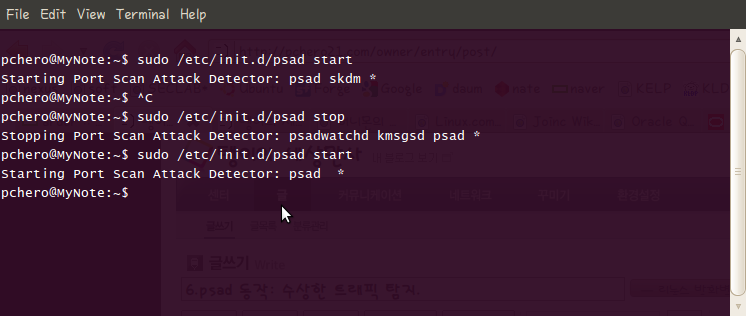
NMAP과 왕복시간.
이 절의 스캔 예제 대부분에서 Nmap의 시간 관련 옵션(예를 들어 -T와 –max-rtt-timeout)은 Nmap이 얼마나 빨리 목표를 스캔할 수 있는지에 영향을 미친다. iptables는 로컬 스택이 각 스캔 탐사에게 전송할 수 있는 응답을 강하게 제한하기 때문에 Nmap이 절대로 받지 못한 응답을 기다리는 시간을 제한하는 것이 좋다. 예를 들어 Nmap이 포트 5000으로 SYN 패킷을 전송하는 경우 iptables는 이것을 버리기 때문에 목표 스택은 절대 Nmap이 기다리는 SYN/ACK이나 RST/ACK를 전송하지 않는다. (–max-rtt-timeout 옵션을 사용해서) Nmap이 이러한 응답을 기다리는 시간을 줄임으로써 시스템 스캔에 필요한 전체 시간을 단출할 수 있다(–max-rtt-timeout 값의 적절한 상향 값을 결정하는 방법 중 하나는 스캔 시작 전에 목표까지의 왕복 시간을 측정하기 위해 ping 유틸리티를 사용하는 것이다).
– TCP connect() 스캔
Nmap TCP connect() 스캐닝 모드(-sT)는 유닉스 방식의 운영체제에서는 특권을 가지지 않은 사용자도 이를 사용할 수 있다. 우선 목표 IP 주소 X.X.X.X에 대한 TCP connect() 스캔을 살펴보자.
soft-ftp:/etc# nmap -sT -n 117.17.172.120 –max-rtt-timeout 500
Starting Nmap 4.11 ( http://www.insecure.org/nmap/ ) at 2010-07-01 23:34 KST
Interesting ports on 117.17.172.120:
Not shown: 1672 filtered ports
PORT STATE SERVICE
20/tcp closed ftp-data
21/tcp open ftp
22/tcp open ssh
43/tcp closed whois
53/tcp closed domain
80/tcp open http
443/tcp closed https
873/tcp closed rsync
chd 1672 개 이상의 포트를 스캔 했지만, iptables 가 connection 시도의 대부분을 버리기 때문에 예상대로 거의 전부 필터링됐다. 스캔이 끝나면 psad가 스캔을 탐지했는지 알아보기 위해 /var/log/message 파일을 보자.
Jul 1 23:51:01 seclab psad: scan detected: Y.Y.Y.Y -> X.X.X.X tcp: [1-65301] flags: SYN tcp pkts: 1498 DL: 4
Jul 1 23:51:06 seclab psad: scan detected: Y.Y.Y.Y -> X.X.X.X tcp: [44-13701] flags: SYN tcp pkts: 51 DL: 4
psad syslog 메시지에서는 출발지와 목적지 IP 주소, 스캔된 TCP 포트의 범위(1 ~ 655301), 전송된 플래그(이 경우 SYN), 전송된 전체 패킷 수, psad가 이 스캐너에 할당한 위험 수준(DL:4)을 확인할 수 있다.
이 경우 psad가 감시한 패킷 수는 1498 + 51개이며 이는 (/etc/psad/psad.conf 에 DANGER_LEVEL4 변수로 정의된) 위험 수준 4에 도달하기 위한 1500개를 넘는 수치이다. psad는 메일 경고도 생성하며 메일 경고에는 한 줄짜리 syslog 메시지에 담을 수 있는 것보다 훨씬 더 많은 정보가 포함된다.
스캔하기 위해 psad가 사용한 iptables 로그 메시지를 보기 위해서 /var/log/psad/fwdata 파일을 살펴보자.
Jul 1 23:50:41 seclab kernel: [3742118.695465] DROP IN=eth0 OUT= MAC=00:21:5e:4e:bb:da:00:11:88:42:99:43:08:00 SRC=Y.Y.Y.Y DST=X.X.X.X LEN=60 TOS=0x00 PREC=0x00 TTL=62 ID=37394 DF PROTO=TCP SPT=50333 DPT=25 WINDOW=5840 RES=0x00 SYN URGP=0 OPT (020405B40402080A240A475B0000000001030304)
Jul 1 23:50:41 seclab kernel: [3742118.695615] DROP IN=eth0 OUT= MAC=00:21:5e:4e:bb:da:00:11:88:42:99:43:08:00 SRC=Y.Y.Y.Y DST=X.X.X.X LEN=60 TOS=0x00 PREC=0x00 TTL=62 ID=35732 DF PROTO=TCP SPT=43748 DPT=3389 WINDOW=5840 RES=0x00 SYN URGP=0 OPT (020405B40402080A240A475B0000000001030304)
Jul 1 23:50:41 seclab kernel: [3742118.695676] DROP IN=eth0 OUT= MAC=00:21:5e:4e:bb:da:00:11:88:42:99:43:08:00 SRC=Y.Y.Y.Y DST=X.X.X.X LEN=60 TOS=0x00 PREC=0x00 TTL=62 ID=44122 DF PROTO=TCP SPT=47712 DPT=1723 WINDOW=5840 RES=0x00 SYN URGP=0 OPT (020405B40402080A240A475B0000000001030304)
Jul 1 23:50:41 seclab kernel: [3742118.696293] DROP IN=eth0 OUT= MAC=00:21:5e:4e:bb:da:00:11:88:42:99:43:08:00 SRC=Y.Y.Y.Y DST=X.X.X.X LEN=60 TOS=0x00 PREC=0x00 TTL=62 ID=931 DF PROTO=TCP SPT=45962 DPT=389 WINDOW=5840 RES=0x00 SYN URGP=0 OPT (020405B40402080A240A475B0000000001030304)
이제 로그를 분석해보자.
먼저 출력 인터페이가 빈칸인 문자열 OUT= 은 로그 메시지를 생성한 패킷이 iptables INPUT 체인 내에서 LOG 규칙과 매칭됐는지 아니면 커널에서 라우팅 계산을 수행하기 전에 어떤 체인(예를 들어 raw 테이블의 PREROUTING 체인)의 LOG 규칙과 매칭됐는지 알려준다.
iptables 로깅 형식은 LOG 규칙을 포함하는 iptables 체인을 명시적으로 포함하지 않기 때문에 위 로그 메시지로부터는 패킷이 INPUT 체인과 PREROUTING 체인 중 어느 쪽으로부터 기록됐는지 알 수 없다. 그러나 iptables 정책이 PREROUTING이나 POSTROUTING 체인보다는 INPUT, FORWARD, OUTPUT 체인에 더 많은 기본 LOG 규칙을 두기 때문에 psad는 오든 iptables 로그 메시지에 다음과 같은 규칙이 적용된다고 가정한다.
– 출력 인터페이스를 포함하지 않는 메시지는 INPUT 체인에서 기록된 것이다.
– 입력 인터페이스를 포함하지 않는 메시지는 OUTPUT 체인에서 기록된 것이다.
– 입력과 출력 인터페이스를 모두 포함하는 메시지는 FORWARD 체인에서 기록된 것이다.
그러므로 앞서 논의한 TCP connect() 스캔의 경우 psad는 스캔이 INPUT 체인을 통해 기록됐다고 가정하며, iptables.sh 스크립트가 생성한 iptables 정책으로부터 따져보면 이것이 사실임을 알 수 있다. 출발지 IP 주소 Y.Y.Y.Y 는 로그 메시지에 포함되므로 psad는 스캔이 시작된 지점을 알 수 있다.
– 때때로 스캔이 정교하게 스푸핑될 수 있기 때문에 이 IP 주소가 스캔의 실제 출발지라고 전적으로 믿을 수 없다는 사실을 기억하자. Nmap은 루트로 실행될 때 미끼(decoy) 옵션(-D)을 사용해서 스푸핑된 스캔을 전송할 수 있으며, Idle 스캔은 필수 구성 요소로 IP 스푸핑을 사용한다.
다음으로 굵게 표시된 PROTO=TCP 와 이후의 항목들을 조합해 보면 스캔된 프로토콜과 포트, 사용된 플래그 등을 알 수 있다. 이 예에서 스캔 수행자는 TCP 포트에 관심이 있으며, 스캔 패킷은 SYN 플래그만을 설정하고 있다.
앞선 connect() 스캔에서는 총 1672 개의 포트를 스캔했지만 /var/log/psad/fwdata 파일에 기록된 iptables 로그 메시지는 1498 + 51 개 뿐이라는 것을 상기하자. 이 차이는 iptables가 로그 메시지를 생성하는 속도와 Nmap으로부터의 SYN 패킷 재전송이라는 두 가지 요소에서 기인한다. 내부적으로는 iptables는 커널 내의 고리 버퍼에 기록하기 때문에 이전 메시지를 명명된 파이프 /var/lib/psad/psadfifo 에 기록하기 전에 새로운 메시지로 고리 버퍼를 덮어쓸 수 있을 정돞포 트래픽 속도가 빠르다면 이전 메시지는 손실된다. 트레이드 오프는 몇 개의 로깅 메시지를 잃는 대신 시스템이 어느 정도 안정된 수준을 유지하며 작업을 지속할 수 있다는 것이다.(이는 좋은 트레이드오프로 볼 수 있다). Nmap은 주로 응답하지 않는 포트당 하나의 재시도 패킷을 전송하기 때문에 이 예의 스캔에서 Nmap은 실제로 이보다 더 많은 패킷을 전송했다.
– TCP SYN 이나 반개방 스캔
이제 Nmap의 SYN(또는 반개방) 스캔 방법을 살펴보자. SYN 스캔은 Nmap이 특권 사용자에 의해 실행될 때의 기본 스캔 방식이다(실제로 이 스캔을 포함한 기타 흥미로누 Nmap 스캔 방식이 원시 소켓으로의 접근을 필요로 하기 째문에 특권 사용자만이 실행할 수 있다).
목표 시스템의 iptables 방화벽이 TCP 포트 80으로 전송되는 모든 SYN 패킷을 버리게 설정됐기 때문에 네트워크상에서 SYN 스캔은 정규 TCP connect() 스캔과 거의 동일하게 보이는데, 이는 스캐너의 TCP 스택이 응답해야 하는 SYN/ACK 패킷이 거의 없기 때문이다. 동일한 출발지 주소로부터의 SYN 패킷을 볼 수 있을 뿐 그 밖의 어떤 것도 볼 수 없다.
이러한 논증이 이론적으로는 일반적으로 정당해 보이지만 실제로는 SYN 스캔과 connect() 스캔 모두에서 iptables이 초기 SYN 패킷을 버림에도 불구하고 두 스캔간에는 몇 가지 중대한 차이점이 존재한다. 이러한 차이점은 SYN 스캔 모드의 Nmap이 전송한 SYN 패킷과 Nmap connect() 스캔을 통해 TCP 스택 자체가 전송한 SYN 패킷과 Nmap connect() 스캔을 통해 TCP 스택 자체가 전송한 SYN 패킷의 특정 패킷 헤더 항목에 존재한다. 3장에서 살펴보았듯이 SYN 스캔보다 connect() 스캔에 의해 전송되는 TCP 옵션이 훨씬 더 많다.
아래 명령어를 통해 IP 주소가 X.X.X.X 에 대한 SYN 스캔을 시작한다.
soft-ftp:/etc# nmap -n X.X.X.X –max-rtt-timeout 500
Starting Nmap 4.11 ( http://www.insecure.org/nmap/ ) at 2010-07-02 01:01 KST
Interesting ports on X.X.X.X:
Not shown: 1672 filtered ports
PORT STATE SERVICE
20/tcp closed ftp-data
21/tcp open ftp
22/tcp open ssh
43/tcp closed whois
53/tcp closed domain
80/tcp open http
443/tcp closed https
873/tcp closed rsyncNmap finished: 1 IP address (1 host up) scanned in 19.909 seconds
/var/log/message 파일을 보면 psad가 이 스캔을 탐지 했음을 알 수 있다.
Jul 2 01:17:54 seclab psad: scan detected: Y.Y.Y.Y -> X.X.X.X tcp: [5-61439] flags: SYN tcp pkts: 1002 DL: 4
Jul 2 01:18:01 seclab psad: scan detected: Y.Y.Y.Y -> X.X.X.X tcp: [2-65301] flags: SYN tcp pkts: 1166 DL: 4
Jul 2 01:18:06 seclab psad: scan detected: Y.Y.Y.Y -> X.X.X.X tcp: [7-44334] flags: SYN tcp pkts: 469 DL: 4
3차례에 걸쳐 1500 개가 넘는 패킷이 전송됐으며, 이는 psad.conf 파일의 DANGER_LEVEL4 보다 크기 때문에 스캐너는 위험 수준 4에 도달했다.
connect() 스캔에서와 같이 목표 시스템의 iptables는 tmzosdml SYN 패킷을 기록했다.
Jul 2 01:18:02 seclab kernel: [3747359.638824] DROP IN=eth0 OUT= MAC=00:21:5e:4e:bb:da:00:11:88:42:99:43:08:00 SRC=210.125.219.48 DST=117.17.172.120 LEN=44 TOS=0x00 PREC=0x00 TTL=53 ID=14339 PROTO=TCP SPT=61604 DPT=1413 WINDOW=4096 RES=0x00 SYN URGP=0 OPT (020405B4)
이번에는 iptables 로그 메시에서 TCP connect() 스캔과 다른 부분을 굵게 나타냈다. 이 항목과 이들이 connect() 스캔과 다른 이유는 다음과 같다.
– LEN : IP 헤더의 길이 항목으로 실제 TCP 스택은 SYN 패킷에 connect() 스캔을 통해 전송하는 SYN 패킷보다 더 많은 옵션을 포함하기 때문에 SYN 스캔이 14 바이트만큼 짧다.
– TTL : IP 헤더의 해킷 유지 시간(TTL, Time-to-Live) 값은 TCP connect() 스캔 동안 클라이언트 시스템의 실제 IP 스택에 의해 항상 동일한 값으로 초기화된다. 그러나 SYN 스캔 시 Nmap은 TCP SYN 패킷을 직접 생성하기 때문에 TTL 값을 어떤 값으로도 설정할 수 있으며, Nmap은 37과 60 사이의 TTL 값 중 하나를 무작위로 선택한다.
– WINDOW : Nmap이 SYN 스캔 동안 설정하는 TCP 윈도우 크기는 1024, 2048, 3072, 4096 중 하나다. 반면 실제 TCP 스택은 TCP 연결을 항상 윈도우 크기 5840으로 초기화한다.
– OPT : TCP 헤더의 옵션 부분은 Nmap SYN 스캔의 경우가 훨씬 더 짧다. 이 예에서 Nmap은 최대 세그먼트 크기 옵션만을 사용하며 이를 1460으로 설정한다. 대부분의 실제 TCP 스택은 최대 세그먼트 크기 외에도 타임스탬프, 연산 없음(NOP), 선택적 승인이 가능한지 여부(SACK)와 같이 다수의 옵션을 전송한다.
* psad 를 이용한 경고와 보고.
psad는 일단 iptables에 대해 수상한 하나의 이벤트나 이벤트들이 발생했다고 판단하면 관리자에게 경고한다. psad 의 목표는 관리자가 적절한 응답을 선택할 수 있게 최대한 많은 정보를 제공하는 것이다.
– psad 메일 경고.
메일 메시지는 syslog 경고보다 훨씬 더 많은 정보를 포함할 수 있으며, 어디서나 확인할 수 있고 휴대폰이나 기타 휴대 장비와 잘 통합돼 있기 때문에 메일은 psad의 제 1차 경고 기법이다.
Message 1054537:
From root@A.B.C.D Thu Jul 1 23:23:40 2010
X-Original-To: root@localhost
To: root@localhost
Subject: [psad-alert] DL5 src: 169.254.X.X dst: 255.255.255.255
Date: Thu, 1 Jul 2010 23:23:39 +0900 (KST)
From: root@A.B.C.D (root)=-=-=-=-=-=-=-=-=-=-=-= Thu Jul 1 23:23:39 2010 =-=-=-=-=-=-=-=-=-=-=-=
* 스캔 위험 수준, 포트, 플래그——————————————-
Danger level: [5] (out of 5)Scanned UDP ports: [67: 1 packets, Nmap: -sU]
iptables chain: INPUT (prefix “DROP”), 1 packets* 출발지와 목적지 IP 주소 ——————————————–
Source: 169.254.X.X
DNS: [No reverse dns info available]Destination: 255.255.255.255
DNS: [No reverse dns info available]* syslog 호스트명, 시간 간격, 요약 정보 ———————————
Overall scan start: Tue Nov 24 21:47:43 2009
Total email alerts: 167109
Syslog hostname: seclabGlobal stats: chain: interface: TCP: UDP: ICMP:
INPUT eth0 0 36101 0* whois 데이터베이스 정보 ——————————————–
[+] Whois Information:OrgName: Internet Assigned Numbers Authority
OrgID: IANA
Address: 4676 Admiralty Way, Suite 330
City: Marina del Rey
StateProv: CA
PostalCode: 90292-6695
Country: USNetRange: 169.254.0.0 – 169.254.255.255
CIDR: 169.254.0.0/16
NetName: LINKLOCAL-RFC3927-IANA-RESERVED
NetHandle: NET-169-254-0-0-1
Parent: NET-169-0-0-0-0
NetType: IANA Special Use
NameServer: BLACKHOLE-1.IANA.ORG
NameServer: BLACKHOLE-2.IANA.ORG
Comment: This is the “link local” block. It was set
Comment: aside for this special use in the Standards
Comment: Track document, RFC 3927 and was further
Comment: documented in the Best Current Practice
Comment: RFC 5735, which can be found at:
Comment: http://www.rfc-editor.org/rfc/rfc3927.txt
Comment: http://www.rfc-editor.org/rfc/rfc5735.txt
Comment: It is allocated for communication between hosts
Comment: on a single link. Hosts obtain these addresses
Comment: by auto-configuration, such as when a DHCP
Comment: server cannot be found.
Comment: A router MUST NOT forward a packet with an IPv4
Comment: Link-Local source or destination address,
Comment: irrespective of the router’s default route configuration
Comment: or routes obtained from dynamic routing protocols.
Comment: A router which receives a packet with an IPv4
Comment: Link-Local source or destination address MUST NOT
Comment: forward the packet. This prevents forwarding of
Comment: packets back onto the network segment from which
Comment: they originated, or to any other segment.
RegDate: 1998-01-27
Updated: 2010-03-15OrgAbuseHandle: IANA-IP-ARIN
OrgAbuseName: Internet Corporation for Assigned Names and Number
OrgAbusePhone: +1-310-301-5820
OrgAbuseEmail: abuse@iana.orgOrgTechHandle: IANA-IP-ARIN
OrgTechName: Internet Corporation for Assigned Names and Number
OrgTechPhone: +1-310-301-5820
OrgTechEmail: abuse@iana.org# ARIN WHOIS database, last updated 2010-06-30 20:00
# Enter ? for additional hints on searching ARIN’s WHOIS database.
#
# ARIN WHOIS data and services are subject to the Terms of Use
# available at https://www.arin.net/whois_tou.html
#
# Attention! Changes are coming to ARIN’s Whois service on June 26.
# See https://www.arin.net/features/whois for details on the improvements.
* psad syslog 보고.
메일 경고와 함께 syslog도 psad의 중요한 보고 기법이다. 보통 psad는 동작하는 동안 세 종류의 syslog 경고를 생성한다.
– 정보 메시지
psad는 주기적으로 psad가 수행한 관리 동작을 관리자에게 알려주기 위해 설계된 정보 syslog 메시지를 생성하며, 이에는 설정 파일 읽어오기와 이전 psad 실행으로부터의 스캔 정보 등이 있다.
예를 들어 psad는 시작할때 다음과 같은 syslog 메시지를 생성한다.
Jul 1 23:50:13 seclab psad: imported valid icmp types and codes
Jul 1 23:50:13 seclab psad: imported p0f-based passive OS fingerprinting signatures
Jul 1 23:50:13 seclab psad: imported TOS-based passive OS fingerprinting signatures
Jul 1 23:50:13 seclab psad: imported auto_dl, got 0 IP addresses and 1 networks
Jul 1 23:50:14 seclab psad: imported original Snort rules in /etc/psad/snort_rules/ for reference info
Jul 1 23:50:14 seclab psad: imported 205 psad Snort signatures from /etc/psad/signatures
Jul 1 23:50:16 seclab psad: imported 239 scanning IP addresses from previous psad instance
– 스캔과 서명 매칭 메시지
syslog 메시지의 가장 중요한 부분은 스캔과 기타 수상한 트래픽에 대해 알려준다. 이러한 메시지는 출발지 IP 주소에서 포트, 프로토콜, 스노트 규칙 매칭에 이르는 모든 것을 포함하며, 다음과 같은 syslog 메시지는 psad 스캔 경고를 보여준다. 이 메시지는 psad가 탐지한 스캔 유형을 사용자가 식별할 수 있게 TCP 플래그 정보도 포함한다.
Jul 1 23:50:25 seclab kernel: [3742102.777745] DROP IN=eth0 OUT= MAC=ff:ff:ff:ff:ff:ff:00:25:11:48:00:69:08:00 SRC=X.X.X.X DST=255.255.255.255 LEN=68 TOS=0x00 PREC=0x00 TTL=128 ID=10689 PROTO=UDP SPT=1037 DPT=1947 LEN=48
Jul 1 23:50:41 seclab kernel: [3742118.698007] DROP IN=eth0 OUT= MAC=00:21:5e:4e:bb:da:00:11:88:42:99:43:08:00 SRC=X.X.X.X DST=Y.Y.Y.Y LEN=60 TOS=0x00 PREC=0x00 TTL=62 ID=42913 DF PROTO=TCP SPT=50650 DPT=1453 WINDOW=5840 RES=0x00 SYN URGP=0 OPT (020405B40402080A240A475B0000000001030304)
– 자동 응답 메시지
트래픽 출발지 IP 주소에 대해 iptables 차단 규칙을 적용함으로써 psad를 사용해서 수상한 트래픽에 응답할 수 있다. 이 기능은 기본적으로 비활성화돼 있다.
* 정리
6장에서는 Nmap을 이용해서 iptablesfw 시스템에 수행한 포트 스캔을 psad가 탐지하고 보고하는 것과 같은 psad 동작 측면을 소개했다. 메일 경고가 psad의 제1차 경고 기법이지만 psad는 syslog 경고도 제공한다. 7장에서는 iptables 로그 메시지를 통해 스노트 규칙과 매칭되는 트래픽의 탐지와 같이 좀 더 어려운 psad 관련 주제를 살펴본다.